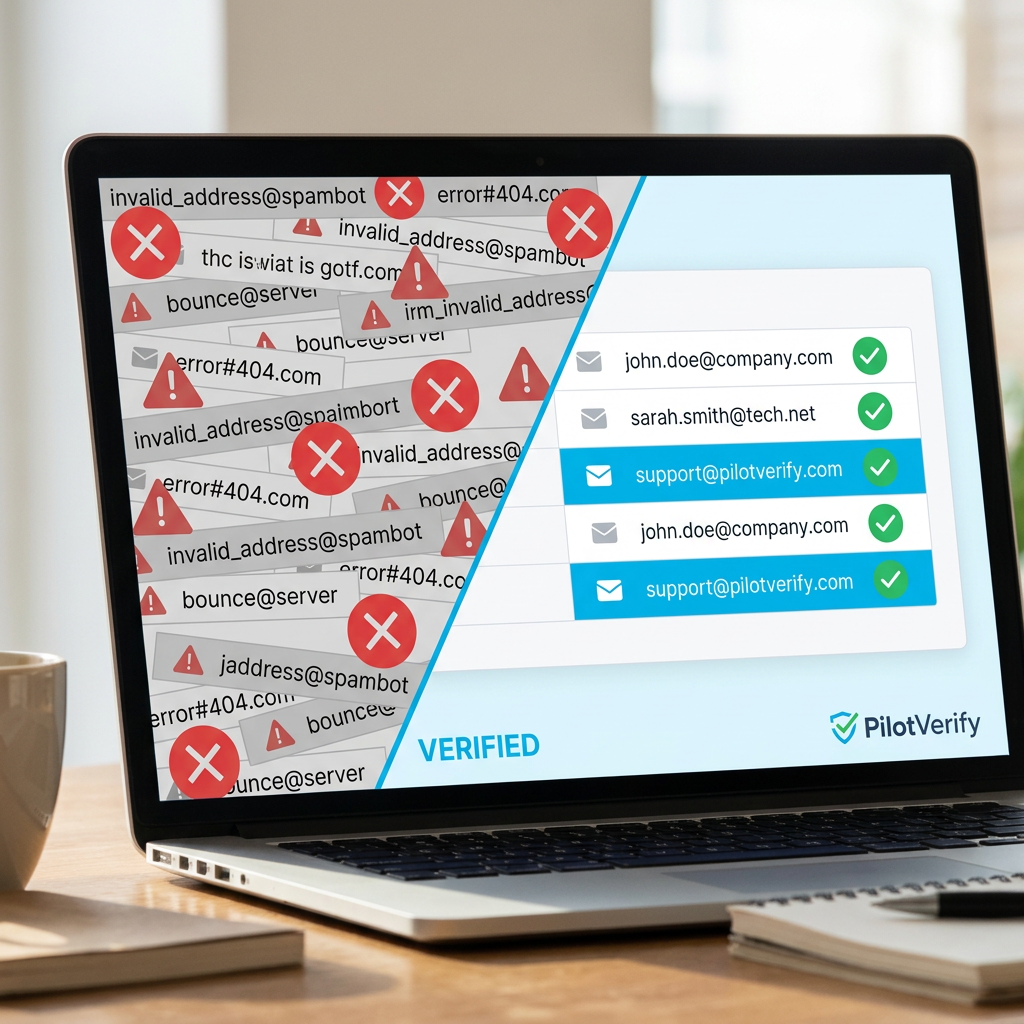
Processing 100 email addresses for verification is trivial. Processing 100,000 is an architecture problem.
At scale, bulk email verification introduces challenges that simply don't exist at smaller volumes: API rate limits that need to be respected without building custom throttling logic from scratch, chunking strategies that maximize throughput without exceeding batch limits, result handling for partial failures, and the operational question of whether to process synchronously or asynchronously.
Teams that don't plan for this end up with verification pipelines that time out mid-list, partially processed results with no reliable way to know which addresses were checked, or rate limit errors that bring down a job that's been running for hours and has to start over.
This guide is the practical engineering reference for running bulk email verification at scale — 100K addresses and beyond. It covers the architecture decisions, the code patterns, the error handling strategies, and the operational workflows that make large-scale verification work reliably in production. All examples use the InboxVet API.
1,000 — the maximum emails per batch request on the InboxVet batch endpoint. For 100K addresses, that's 100 sequential batch requests — manageable with the right chunking and retry architecture.
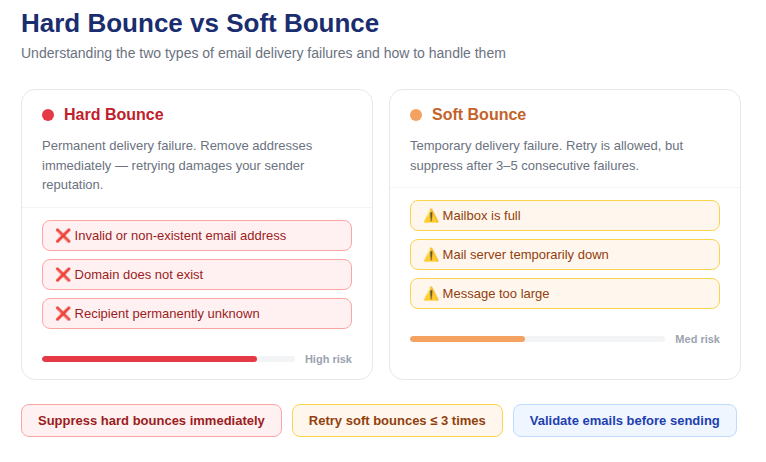
📷 Large-scale bulk email verification architecture: input list → chunking layer → API batch calls → result aggregation → segmented output
Two Paths to Scale: API vs. CSV Upload
Before building a custom pipeline, consider which tool is actually right for your use case. InboxVet provides two paths to bulk email verification at scale, and they serve different needs:
Path 1: CSV Bulk Upload via Dashboard
The InboxVet dashboard accepts CSV uploads of any size. You upload your list, the platform processes it asynchronously, and you download the results when complete. No code required, no rate limit management, no chunking logic — the platform handles everything.
This is the right path when:
· You're a marketer running a one-off pre-campaign list clean
· You don't need the results programmatically — just a downloadable cleaned CSV
· Your team doesn't have engineering resources to maintain a custom verification pipeline
· You need to process a very large list (500K+) without managing infrastructure
Path 2: Batch API Endpoint
The POST /api/validate/batch endpoint accepts up to 1,000 email addresses per request and returns verification results synchronously. This is the path for engineering teams who need verification results programmatically — to update database records, trigger downstream workflows, or integrate into a data pipeline.
This is the right path when:
· You need results in a structured format that feeds directly into your application
· You're building an automated pre-send verification pipeline
· You need to process results per-address (e.g., update a email_valid flag in your database)
· You're integrating verification into a data migration or ETL process
The rest of this guide focuses on the batch API path — the engineering implementation of large-scale bulk email verification.
The Core Architecture: Chunking, Processing, and Result Aggregation
The fundamental pattern for processing any list larger than 1,000 addresses via the batch API is:
1. Split your input list into chunks of ≤1,000 addresses
2. Process each chunk sequentially (or with controlled concurrency)
3. Aggregate results across all chunks into a single output
4. Segment the output by status for downstream action
Here is a production-ready Node.js implementation of this pattern for a list of 100,000 addresses:
// Node.js — Production bulk email verification pipeline for large lists
const fetch = require('node-fetch');
const fs = require('fs');

const API_KEY = process.env.INBOXVET_API_KEY;
const BATCH_ENDPOINT = 'https://inboxvet.com/api/validate/batch';
const CHUNK_SIZE = 1000;
const DELAY_BETWEEN_BATCHES_MS = 200; // Respectful pacing

function chunkArray(arr, size) {
  const chunks = [];
  for (let i = 0; i < arr.length; i += size) {
    chunks.push(arr.slice(i, i + size));
  }
  return chunks;
}

function sleep(ms) {
  return new Promise(resolve => setTimeout(resolve, ms));
}

async function verifyChunk(emails, retries = 3) {
  for (let attempt = 1; attempt <= retries; attempt++) {
    try {
      const response = await fetch(BATCH_ENDPOINT, {
        method: 'POST',
        headers: {
          'Content-Type': 'application/json',
          'x-api-key': API_KEY
        },
        body: JSON.stringify({ emails, skipSMTP: false }),
        timeout: 30000 // 30s timeout per batch
      });

      const data = await response.json();

      if (!data.success) {
        throw new Error(`API error: ${JSON.stringify(data)}`);
      }

      return data.results;

    } catch (err) {
      console.error(`Chunk attempt ${attempt} failed: ${err.message}`);
      if (attempt === retries) throw err;
      await sleep(1000 * attempt); // Exponential backoff
    }
  }
}

async function verifyLargeList(emails) {
  const chunks = chunkArray(emails, CHUNK_SIZE);
  const allResults = [];

  console.log(`Processing ${emails.length} emails in ${chunks.length} batches...`);

  for (let i = 0; i < chunks.length; i++) {
    console.log(`Batch ${i + 1}/${chunks.length}...`);

    const results = await verifyChunk(chunks[i]);
    allResults.push(...results);

    // Polite pacing between batches
    if (i < chunks.length - 1) {
      await sleep(DELAY_BETWEEN_BATCHES_MS);
    }
  }

  // Segment results
  const valid = allResults.filter(r => r.status === 'VALID');
  const invalid = allResults.filter(r => r.status === 'INVALID');
  const risky = allResults.filter(r => r.status === 'RISKY');

  console.log(`\nResults: Valid=${valid.length} | Invalid=${invalid.length} | Risky=${risky.length}`);

  return { valid, invalid, risky, all: allResults };
}

// Entry point
const emailList = require('./email-list.json'); // Array of email strings
verifyLargeList(emailList).then(({ valid, invalid }) => {
  // Write suppression list
  fs.writeFileSync('suppression.json', JSON.stringify(invalid.map(r => r.email)));
  // Write clean send list
  fs.writeFileSync('sendable.json', JSON.stringify(valid.map(r => r.email)));
  console.log('Done. Files written.');
});
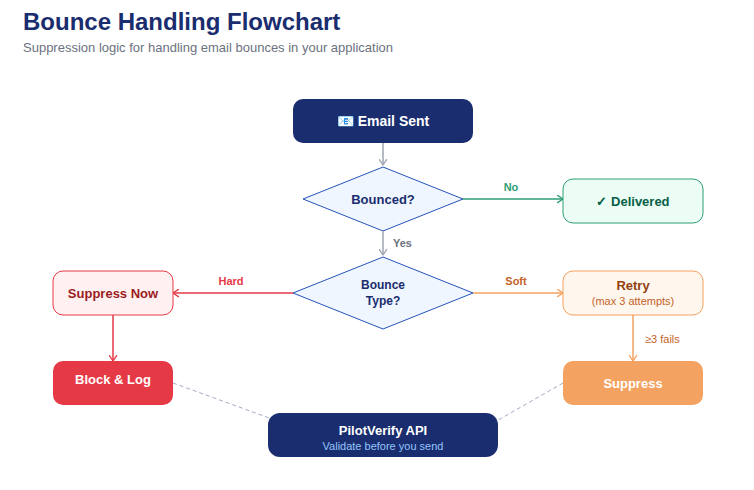
📷 Bulk verification pipeline flow: input list → chunk → batch API call → retry on failure → aggregate → segment output
Handling Failures Gracefully at Scale
At 100 batch requests, the probability of at least one transient failure is meaningful. A pipeline that fails completely on a single batch error and requires manual restart is not production-ready. Here's how to handle failures correctly:
Per-Batch Retry With Exponential Backoff
Implement retry logic at the chunk level — not the entire list level. If batch 47 fails, retry batch 47 up to 3 times with exponential backoff (1 second, 2 seconds, 4 seconds between attempts). Only if all retries fail for a specific chunk should you log it as a failed chunk and continue with the rest. The code example above implements this pattern.
Checkpoint Progress for Long-Running Jobs
For very large lists (500K+ addresses), a job can run for extended periods. If it fails mid-run without checkpointing, you lose all progress and must restart from the beginning. Implement checkpointing by writing results to disk (or a database) after each batch completes, rather than accumulating everything in memory:
// Checkpoint pattern — write results after each batch
const CHECKPOINT_FILE = './verification-checkpoint.jsonl';

async function verifyWithCheckpoint(emails) {
  const chunks = chunkArray(emails, CHUNK_SIZE);

  // Load existing checkpoint if resuming
  let processedCount = 0;
  if (fs.existsSync(CHECKPOINT_FILE)) {
    const lines = fs.readFileSync(CHECKPOINT_FILE, 'utf8').trim().split('\n');
    processedCount = lines.length;
    console.log(`Resuming from checkpoint: ${processedCount} emails already processed`);
  }

  const stream = fs.createWriteStream(CHECKPOINT_FILE, { flags: 'a' });

  for (let i = Math.floor(processedCount / CHUNK_SIZE); i < chunks.length; i++) {
    const results = await verifyChunk(chunks[i]);

    // Append each result as a JSON line
    for (const result of results) {
      stream.write(JSON.stringify(result) + '\n');
    }

    console.log(`Checkpoint: ${(i + 1) * CHUNK_SIZE} / ${emails.length} processed`);
    await sleep(DELAY_BETWEEN_BATCHES_MS);
  }

  stream.end();
  console.log('Verification complete. Reading final results from checkpoint...');
}
Handling Insufficient Credits Mid-Job
A 100,000-address verification job consumes 100,000 credits. If you start with 80,000 credits, the job will fail at batch 80. Implement a credit check at the start of large jobs and abort with a clear error if credits are insufficient:
// Pre-flight credit check
async function checkCredits(requiredCredits) {
  // Make a single test verification to get creditsRemaining
  const response = await fetch('https://inboxvet.com/api/validate', {
    method: 'POST',
    headers: {
      'Content-Type': 'application/json',
      'x-api-key': API_KEY
    },
    body: JSON.stringify({ email: 'test@example.com', skipSMTP: true })
  });
  const data = await response.json();
  const remaining = data.creditsRemaining;

  if (remaining < requiredCredits) {
    throw new Error(
      `Insufficient credits: need ${requiredCredits}, have ${remaining}. Top up before running.`
    );
  }

  console.log(`Credit check passed: ${remaining} credits available, ${requiredCredits} required.`);
}

// Usage before large job
await checkCredits(emailList.length);
Asynchronous Processing for Very Large Lists
Sequential batch processing is simple and reliable, but for very large lists (500K+) it can be slow — each batch request takes time, and processing 500 batches sequentially takes meaningful wall-clock time.
Controlled concurrency — processing multiple batches in parallel, up to a limit — dramatically reduces total processing time without overwhelming the API:
// Controlled concurrency — process N batches in parallel
const CONCURRENCY_LIMIT = 5; // Process 5 batches simultaneously

async function verifyWithConcurrency(emails) {
  const chunks = chunkArray(emails, CHUNK_SIZE);
  const allResults = [];

  // Process in groups of CONCURRENCY_LIMIT
  for (let i = 0; i < chunks.length; i += CONCURRENCY_LIMIT) {
    const group = chunks.slice(i, i + CONCURRENCY_LIMIT);

    const groupResults = await Promise.all(
      group.map(chunk => verifyChunk(chunk))
    );

    for (const results of groupResults) {
      allResults.push(...results);
    }

    console.log(`Progress: ${Math.min((i + CONCURRENCY_LIMIT) * CHUNK_SIZE, emails.length)} / ${emails.length}`);
    await sleep(500); // Brief pause between groups
  }

  return allResults;
}
💡 Developer Tip: Start with sequential processing and add concurrency only if processing time is a constraint for your use case. Sequential processing is easier to debug, checkpoint, and reason about. Concurrency introduces edge cases (out-of-order results, concurrent rate limit hits) that need additional handling.
Processing Results at Scale: Segmentation and Action
The output of a 100K verification run is a large dataset that needs to be acted on systematically. Here's the standard segmentation and action workflow:
Segment by Status
// Segment verification results for downstream action
function segmentResults(results) {
  return {
    valid: results.filter(r => r.status === 'VALID'),
    invalid: results.filter(r => r.status === 'INVALID'),
    riskyDisposable: results.filter(r => r.status === 'RISKY' && r.isDisposable),
    riskyCatchAll: results.filter(r => r.status === 'RISKY' && r.isCatchAll),
    riskyRoleBased: results.filter(r => r.status === 'RISKY' && r.reason === 'role_based')
  };
}

const segments = segmentResults(allResults);
console.log('Segment counts:', {
  valid: segments.valid.length,
  invalid: segments.invalid.length,
  riskyDisposable: segments.riskyDisposable.length,
  riskyCatchAll: segments.riskyCatchAll.length,
  riskyRoleBased: segments.riskyRoleBased.length
});
Apply Actions Per Segment
· INVALID — Export email addresses and import into your ESP suppression list. Update your database to flag these users as suppressed.
· RISKY / disposable — Suppress from marketing sends. If you need to differentiate for transactional sending, tag rather than hard-suppress.
· RISKY / catch-all — Tag for special handling. Send to a test segment on your next campaign and monitor bounce data before including in full sends.
· RISKY / role-based — Suppress from marketing. Review individually for transactional relevance.
· VALID — Include in your send list. No action required beyond confirming they're not already suppressed for other reasons (unsubscribe, previous complaint).
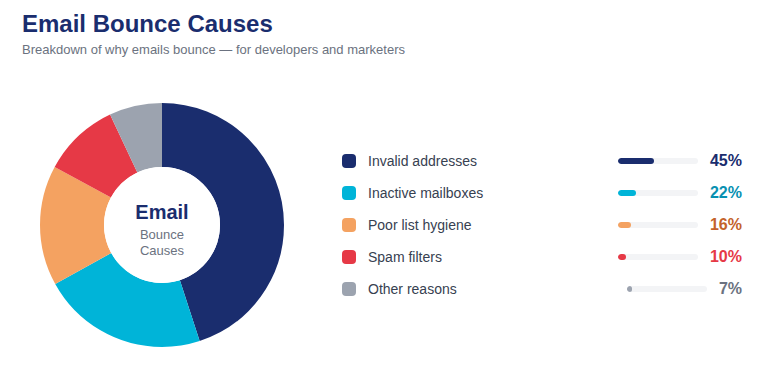
📷 Typical result distribution for a 100K address bulk verification run — valid, invalid, and risky segment breakdown
Performance Expectations: How Long Does 100K Actually Take?
The total processing time for 100,000 addresses via the batch API depends on several factors: network latency from your infrastructure to the API, SMTP verification depth, and the concurrency level you're running at.
Approximate estimates for sequential processing with full SMTP verification:
· 10,000 addresses (10 batches) — approximately 2–5 minutes
· 100,000 addresses (100 batches) — approximately 20–50 minutes
· 500,000 addresses (500 batches) — approximately 2–4 hours
With 5x concurrency, these times reduce by roughly 3–4x. For anything above 500K, the CSV dashboard upload is typically the more practical path — the platform handles concurrency and infrastructure scaling transparently.
Architecture Note: For recurring large-scale verification (e.g., monthly full-list audit), run verification jobs as background tasks — not inline with any user-facing request. Schedule them during off-peak hours, implement checkpointing, and send a notification when complete. Never block a user-facing flow on a large batch verification job.
Integrating Scale Verification Into Your Data Pipeline
For teams running verification as part of a larger data pipeline — ETL jobs, CRM syncs, pre-campaign automation — here is how to integrate InboxVet bulk email verification as a pipeline stage:
// Pipeline integration example — verify and update database
const { Pool } = require('pg'); // PostgreSQL example
const pool = new Pool({ connectionString: process.env.DATABASE_URL });

async function verifyAndUpdateDatabase() {
  // 1. Pull unverified emails from database
  const { rows } = await pool.query(
    "SELECT id, email FROM users WHERE email_verified IS NULL LIMIT 100000"
  );

  const emailsToVerify = rows.map(r => r.email);
  console.log(`Verifying ${emailsToVerify.length} emails from database...`);

  // 2. Run bulk verification
  const { valid, invalid, risky } = await verifyLargeList(emailsToVerify);

  // 3. Build lookup map
  const resultMap = {};
  [...valid, ...invalid, ...risky].forEach(r => {
    resultMap[r.email] = r;
  });

  // 4. Update database in batches
  for (const row of rows) {
    const result = resultMap[row.email];
    if (result) {
      await pool.query(
        `UPDATE users SET
          email_verified = $1,
          email_status = $2,
          email_is_disposable = $3,
          email_is_catch_all = $4,
          email_verified_at = NOW()
        WHERE id = $5`,
        [
          result.status === 'VALID',
          result.status,
          result.isDisposable,
          result.isCatchAll,
          row.id
        ]
      );
    }
  }

  console.log('Database update complete.');
  pool.end();
}

verifyAndUpdateDatabase();
Frequently Asked Questions (FAQ)
Q: Is there a rate limit on the InboxVet batch API?
A: The batch endpoint supports up to 1,000 emails per request. For sustained high-throughput processing, including a small delay between batch requests (200–500ms) is good practice to avoid any transient throttling and is included in all code examples in this guide.
Q: Should I use async/await or streams for processing 100K+ results?
A: For most use cases, async/await with checkpoint writing (JSONL format) is sufficient and easier to debug. True streaming is useful only when memory is constrained — if you're loading a 1M+ address list entirely into memory before chunking, switching to a stream-based CSV reader is worth it. For 100K–500K, in-memory chunking with async/await is fine.
Q: What happens if a batch request times out partway through?
A: The batch request is atomic — either all results are returned or none are. If a request times out, retry the entire chunk. The checkpoint pattern ensures you don't re-process chunks that already completed successfully.
Q: Can I process 100K emails on the free tier?
A: 100,000 verifications consumes 100,000 credits. The Scale tier ($125 / 125,000 credits) is the most economical option for this volume. Credits never expire, so you can buy in advance without deadline pressure.
Q: How do I know when my verification job has finished?
A: For programmatic batch API jobs, completion is synchronous — you know each batch is done when it returns a response. Implement a final summary log after all chunks process to confirm total count and segment breakdown. For CSV dashboard uploads, InboxVet sends a notification when processing is complete and results are downloadable.
Scale Is a Solvable Problem
Bulk email verification at scale is not fundamentally different from single-address verification — it's the same checks, the same API, the same accuracy. The engineering work is in the chunking, error handling, checkpointing, and result management that make the process reliable at 100x the volume.
The patterns in this guide give you a production-ready starting point. The CSV dashboard upload gives your non-technical teammates an alternative path that requires no code at all. Together, they make large-scale list hygiene accessible at any volume, for any team.
Full API documentation at inboxvet.com/docs. For questions on high-volume use cases, contact support@inboxvet.com.
Try InboxVet Free — Start processing your list today at inboxvet.com