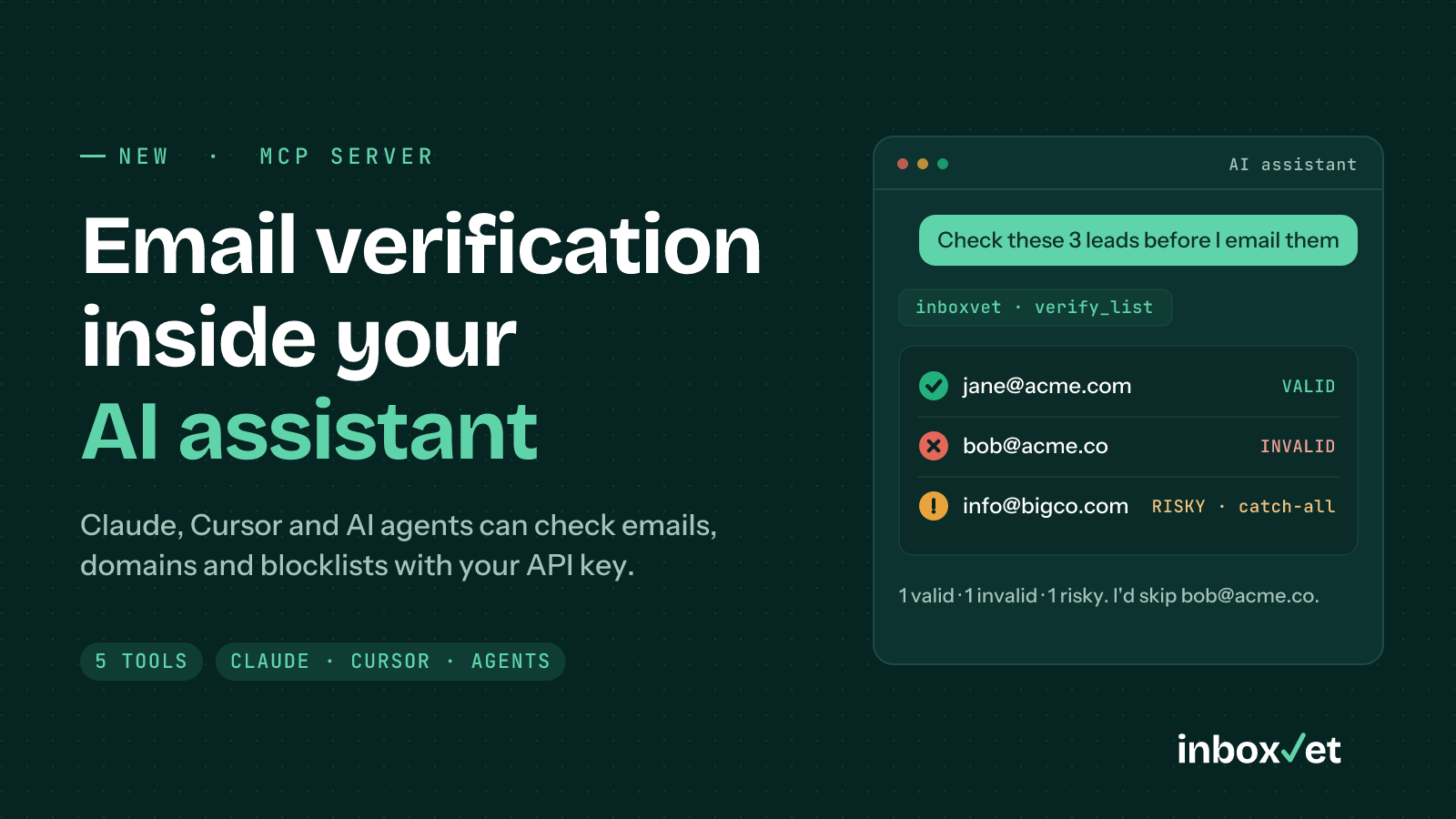
AI assistants are now where a lot of work starts. You ask Claude to tidy a lead list, Cursor to wire up a sign-up form, or an agent to prepare an outreach campaign. Until now, checking whether those email addresses were real meant leaving the conversation, opening another tool and pasting the results back.
The InboxVet MCP server removes that step. Your assistant can now verify emails, test a sending domain and check blocklists by itself, with your InboxVet API key, whenever you ask.
In one sentence: connect
https://inboxvet.com/api/mcpto Claude, Cursor or any MCP client, and say “check these leads before I email them”.
What is an MCP server?
MCP (Model Context Protocol) is the open standard AI assistants use to talk to outside tools. An MCP server publishes a list of tools, with a description of what each one does; the assistant reads those descriptions and decides when to call them. You don't write prompts for it or code against it: you just ask.
InboxVet's MCP server runs on our own infrastructure next to the REST API, so it uses the same verification engine, the same API keys and the same credits.
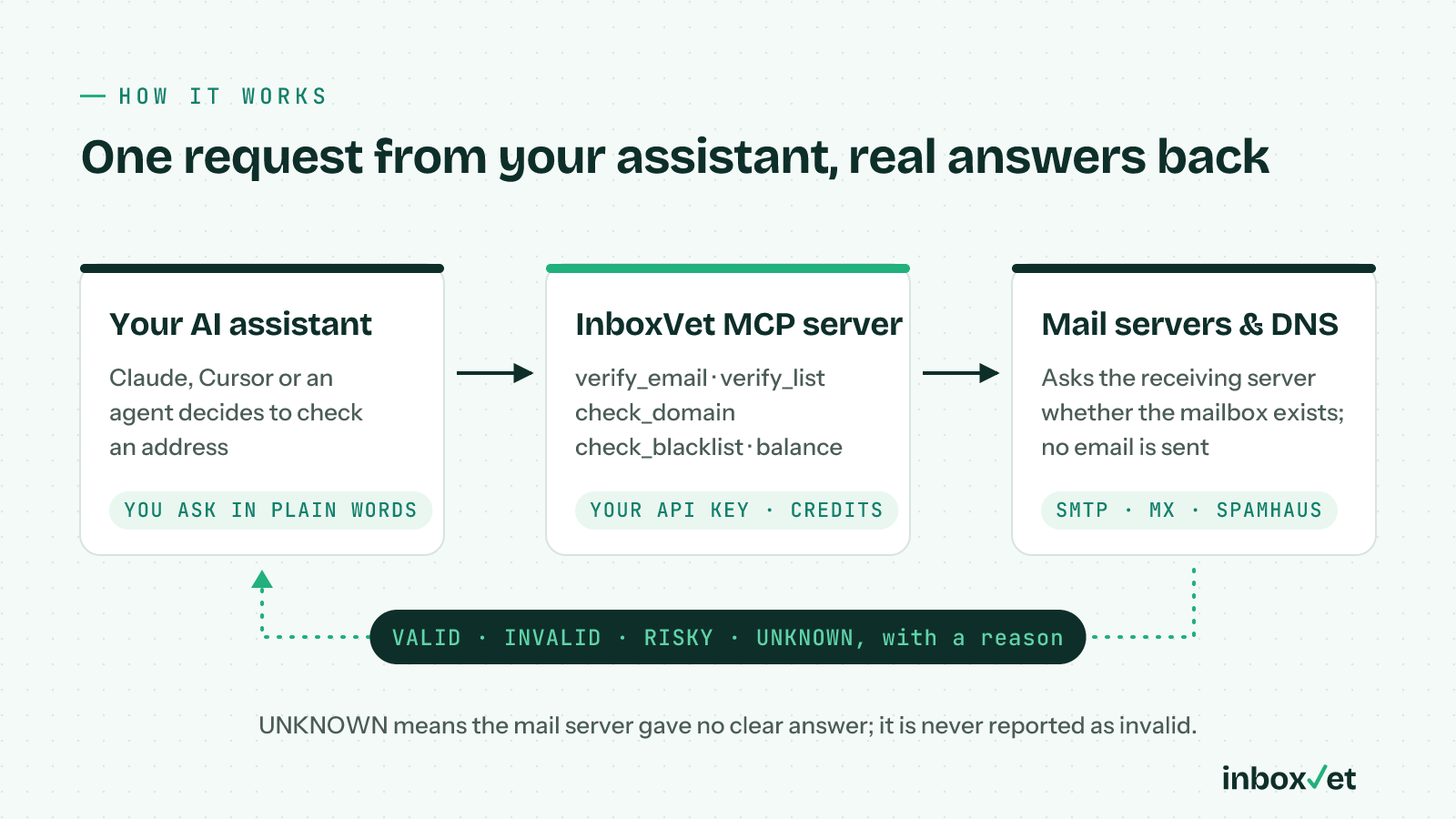
Figure: Your assistant calls the InboxVet MCP server; we ask the receiving mail server and DNS, and send back a verdict with a reason.
The five tools
| Tool | What it does | Cost |
|---|---|---|
verify_email | Full check of one address: syntax, domain and mail servers, disposable detection, the mailbox itself (SMTP) and catch-all | 1 credit |
verify_list | Up to 100 addresses in one call; duplicates are checked once, with a count per result | 1 credit per address |
check_domain | Email server and DNS test: MX, SPF, DKIM, DMARC, MTA-STS, TLS-RPT, BIMI and reverse DNS, scored out of 100 with fixes | Free |
check_blacklist | Spamhaus blocklist lookup for a sending domain or mail server IP, with the reason for any listing | Free |
credit_balance | How many credits the account has left | Free |
Every verification returns one of four results, each with a plain-English reason:
- VALID: the mailbox exists and accepts mail.
- INVALID: bad syntax, no mail servers, the mailbox doesn't exist, or it's full.
- RISKY: a disposable address, or a catch-all domain that accepts every address, so the mailbox can't be confirmed.
- UNKNOWN: the mail server didn't give a clear answer this time.
That last one matters more with AI than without it. An agent acting on your behalf will happily delete every address marked invalid. So the server tells assistants, in its own instructions, that UNKNOWN means “could not confirm” and never “invalid”. Your agent won't throw away real customers because a server was slow to answer.
What you can ask
Once connected, you talk to your assistant normally. A few examples:
- “Check these 40 leads before I email them, and drop the invalid ones.”
- “Is jane@acme.com a real mailbox?”
- “Why is mail from example.com landing in spam?” (the assistant runs
check_domainand walks you through the fixes) - “Is our sending IP on any Spamhaus blocklist?”
- “How many verification credits do I have left?”
Because the assistant sees the full result, it can do the next step too: split a list into send and don't-send, write the corrected SPF record, or tell you which addresses to re-check later.
Set it up in a minute
Create an API key in your InboxVet dashboard (we recommend a separate key for AI tools, so you can revoke it on its own). Then add the server to your client.
Claude Code
claude mcp add --transport http inboxvet https://inboxvet.com/api/mcp \
  --header "Authorization: Bearer YOUR_API_KEY"
Cursor
Add this to .cursor/mcp.json:
{
  "mcpServers": {
    "inboxvet": {
      "url": "https://inboxvet.com/api/mcp",
      "headers": { "Authorization": "Bearer YOUR_API_KEY" }
    }
  }
}
Setup for Claude Desktop and other clients is in the API documentation. Any client that supports remote (Streamable HTTP) MCP servers will work.
What it costs
Connecting is free. Verifying an address uses one credit, exactly like the API; domain tests, blocklist checks and the balance check are free. Credits are pay-as-you-go and never expire, so an agent that verifies a few addresses a week isn't tied to a monthly plan. If the account runs out, the tool says so and nothing is charged; there are no automatic top-ups.
New accounts get 100 free credits, and anyone can try the same checks by hand on the free email verifier.
Privacy
We never send an email to the addresses you check: we ask the receiving mail server whether the mailbox exists, then hang up. Your API key is only ever sent to InboxVet over HTTPS, and every check made through the MCP server appears in your usage history like any other, marked “(MCP)”.
Frequently Asked Questions (FAQ)
Q: Which AI assistants support it?
A: Claude Code, Claude Desktop, Cursor, and any MCP client or agent framework that can connect to a remote MCP server over Streamable HTTP.
Q: Is it a separate subscription?
A: No. It uses your existing InboxVet account, API key and credits.
Q: Can it verify a big list?
A: Up to 100 addresses per call. For larger lists, upload a CSV in the dashboard: bulk uploads check every address down to the mailbox, and you download the results when they're done.
Q: Does the assistant see my whole account?
A: No. It can only call the five tools above: verify addresses, test a domain, check a blocklist and read your credit balance.
Try it
Read how the MCP server works, create a free account for 100 credits, and ask your assistant to check the next list before you hit send.