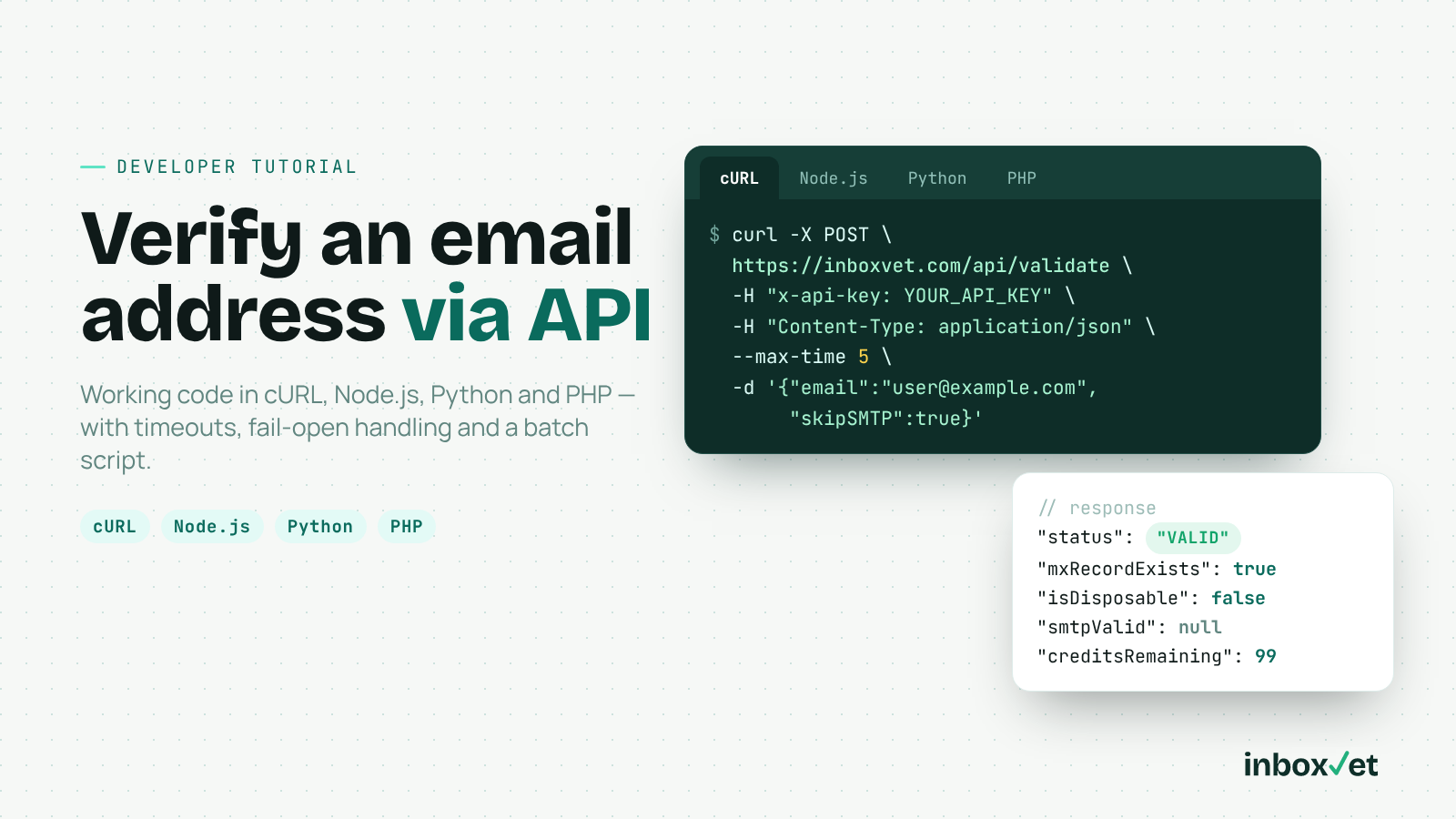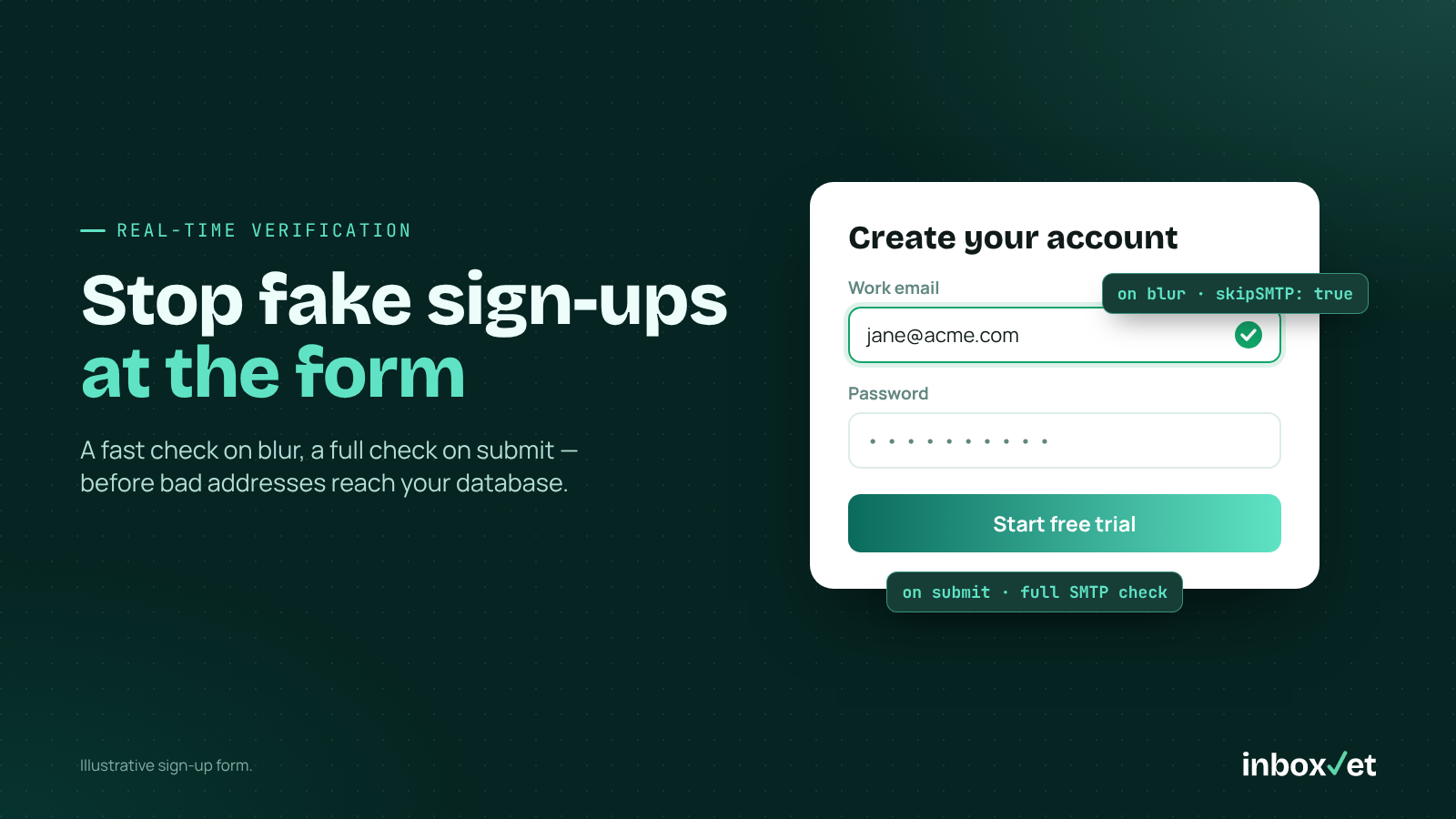
Every fake sign-up costs you something: a bounced welcome email, a skewed activation metric or a hit to your sender reputation. The cheapest place to stop them is the form. A real-time email verification API checks each address while the user is still on the page, so bad data never reaches your database.
This guide covers a two-stage architecture (fast check on blur, full check on submit), client-side typo suggestions, a disposable-email policy, rate limiting and bot abuse — then compares costs across five providers for an app taking 20,000 sign-ups a month.
Under 100ms is the average API response time InboxVet reports — fast enough to run inline on a sign-up form.
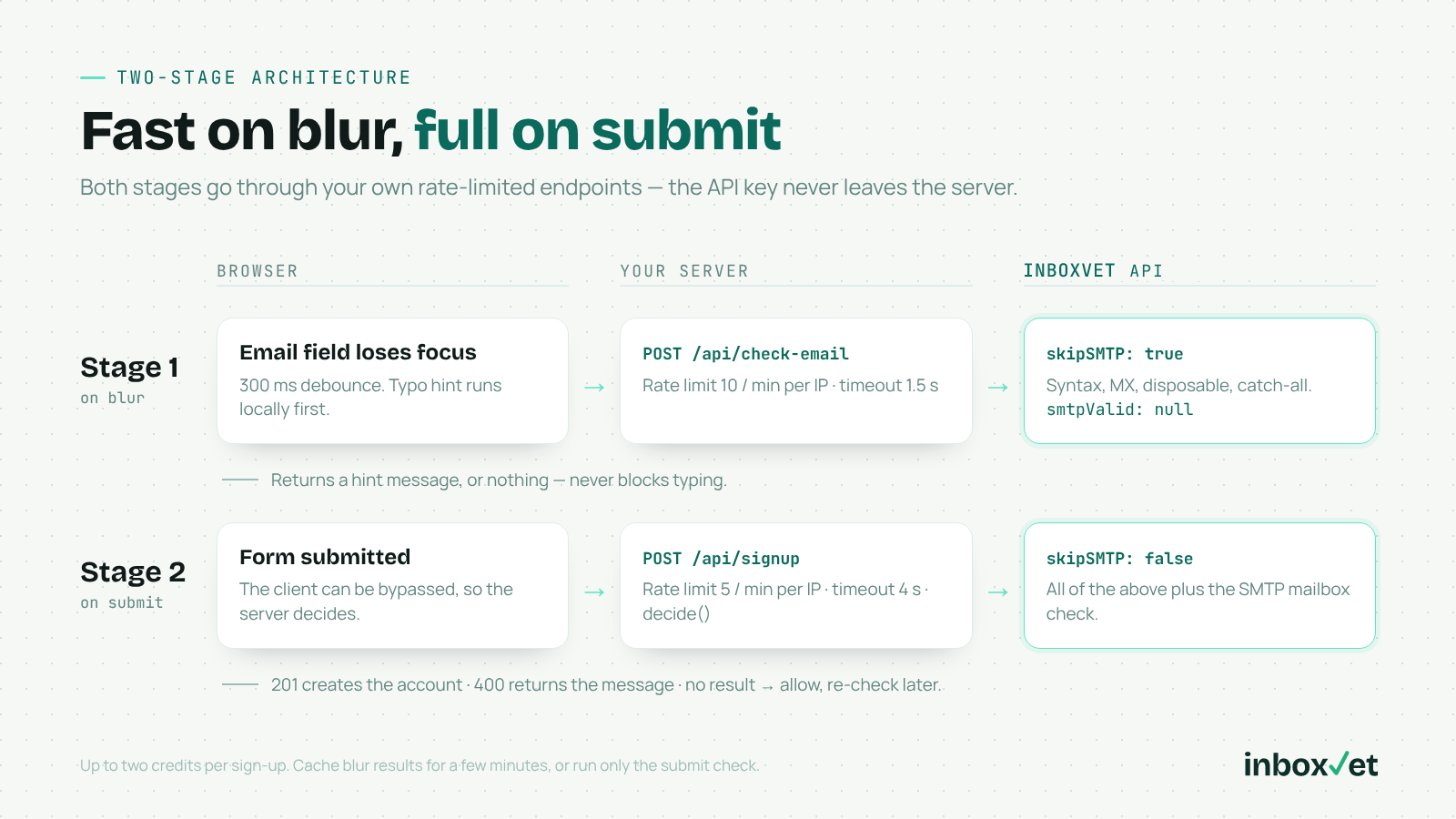
Figure: Two-stage architecture — a rate-limited blur check with skipSMTP: true, then an authoritative full check with skipSMTP: false when the form is submitted.
What a Real-Time Email Verification API Does at Sign-Up
An HTML type="email" field happily accepts jane@gmial.com, a throwaway inbox or a dead domain. A real-time email verification API layers several checks into one request:
· Syntax — RFC 5322 format, including Unicode domains (syntaxValid)
· MX/DNS — the domain has mail servers that can receive email (mxRecordExists)
· Disposable detection — the domain belongs to a temporary inbox provider (isDisposable)
· Catch-all detection — the domain accepts mail for any address (isCatchAll)
· SMTP mailbox check — the mail server confirms the mailbox exists (smtpValid, optional)
The response rolls these into a single status of VALID, INVALID or RISKY, plus a human-readable reason. To see real output, try the free email verifier.
The Two-Stage Architecture: Fast on Blur, Full on Submit
The SMTP step is the slowest part of verification because it talks to the recipient's mail server, so split the work into two stages.
Stage 1: Blur check with skipSMTP: true
When the email field loses focus, send the address to your backend, which calls InboxVet with "skipSMTP": true. This runs syntax, MX, disposable and catch-all checks, and smtpValid comes back as null. It's fast and catches dead domains and throwaway inboxes while the user can still fix them.
Stage 2: Full check on submit
When the form is submitted, your server runs the complete check with "skipSMTP": false before creating the account. This is the authoritative decision — the client can be bypassed, and the user may edit the field after blur.
Credit note: Each call uses one credit, whatever the result, so two stages means up to two credits per sign-up. Cache blur results by address for a few minutes, or run only the submit check.
Client-Side Typo Suggestions (Build This Yourself)
A "Did you mean gmail.com?" hint fixes bad sign-ups while the user is still there. To be clear: InboxVet does not claim to provide domain typo suggestions — it reports deliverability, and the correction is front-end logic you own. Here's a dependency-free version using edit distance:
// typo-suggest.js — runs in the browser, no API call
const COMMON_DOMAINS = ['gmail.com', 'yahoo.com', 'outlook.com', 'hotmail.com', 'icloud.com', 'aol.com'];

function distance(a, b) {
  const dp = Array.from({ length: a.length + 1 }, (_, i) => [i]);
  for (let j = 1; j <= b.length; j++) dp[0][j] = j;
  for (let i = 1; i <= a.length; i++) {
    for (let j = 1; j <= b.length; j++) {
      dp[i][j] = Math.min(
        dp[i - 1][j] + 1,
        dp[i][j - 1] + 1,
        dp[i - 1][j - 1] + (a[i - 1] === b[j - 1] ? 0 : 1)
      );
    }
  }
  return dp[a.length][b.length];
}

export function suggestDomain(email) {
  const at = email.lastIndexOf('@');
  if (at < 1) return null;
  const domain = email.slice(at + 1).toLowerCase();
  if (COMMON_DOMAINS.includes(domain)) return null;
  let best = null;
  let bestDist = 3; // only suggest for 1–2 character mistakes
  for (const d of COMMON_DOMAINS) {
    const dist = distance(domain, d);
    if (dist < bestDist) { best = d; bestDist = dist; }
  }
  return best ? email.slice(0, at + 1) + best : null;
}
Tune COMMON_DOMAINS to your audience, and always show the suggestion as a clickable hint — never rewrite the address silently.
Wiring it to the field, with a short debounce so rapid focus changes don't fire duplicate requests:
import { suggestDomain } from './typo-suggest.js';

const input = document.querySelector('#email');
const hint = document.querySelector('#email-hint');
let timer;

input.addEventListener('blur', () => {
  clearTimeout(timer);
  timer = setTimeout(async () => {
    const email = input.value.trim();
    if (!email) return;
    const suggestion = suggestDomain(email);
    if (suggestion) return (hint.textContent = `Did you mean ${suggestion}?`);
    try {
      const res = await fetch('/api/check-email', {
        method: 'POST',
        headers: { 'Content-Type': 'application/json' },
        body: JSON.stringify({ email })
      });
      const data = await res.json();
      hint.textContent = data.message || '';
    } catch {
      hint.textContent = ''; // never block the user on a network hiccup
    }
  }, 300);
});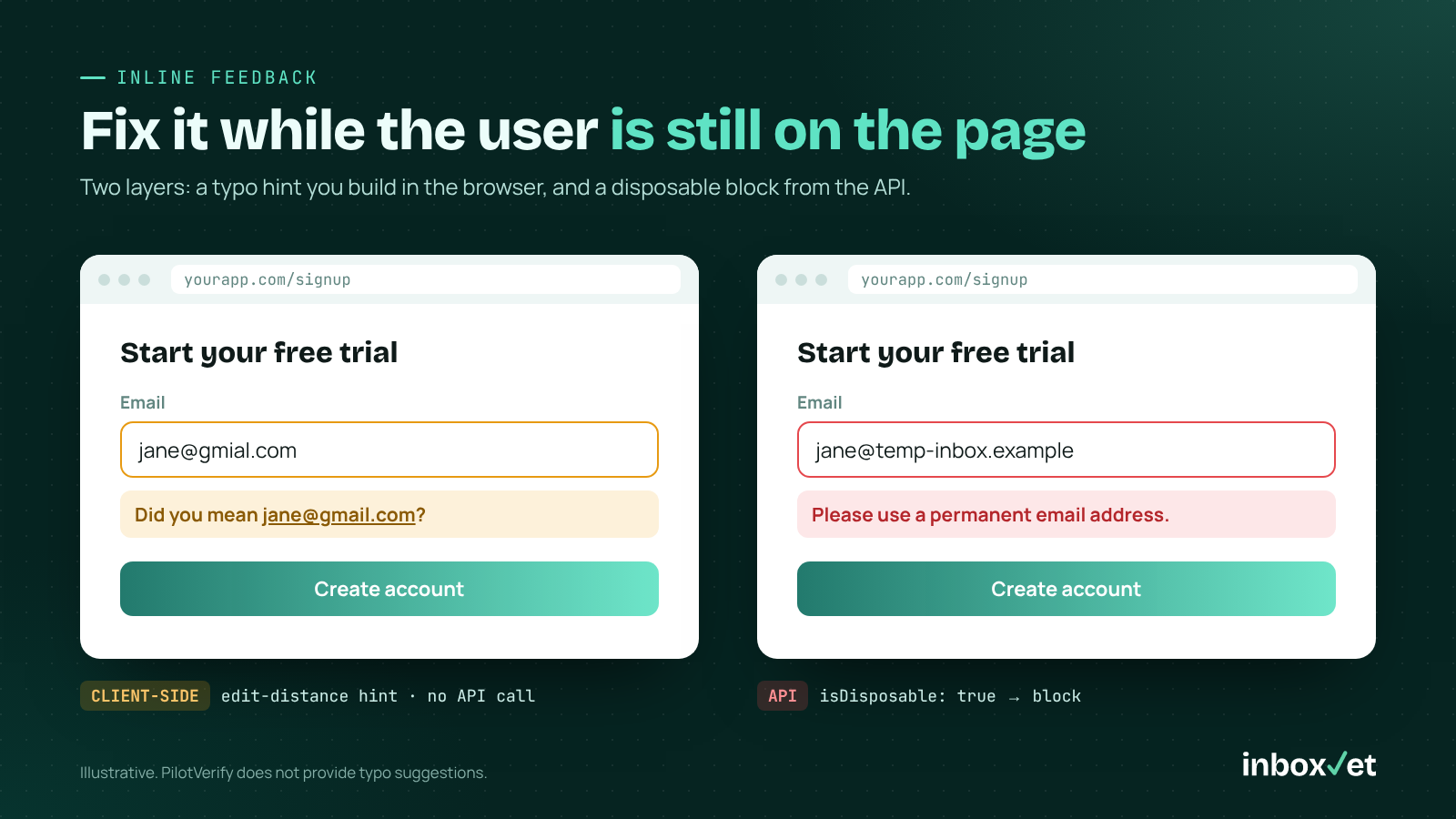
Figure: Inline feedback on the sign-up form — a client-side "Did you mean…?" typo hint, and a block message when the API reports isDisposable: true.
Server-Side: Calling the API Safely
Keep your API key on the server. This helper adds a timeout and fails open: if verification is slow or down, the sign-up continues and you re-check later.
// server.js — Node 18+ (built-in fetch), Express
import express from 'express';
const app = express();
app.use(express.json());

async function verifyEmail(email, skipSMTP) {
  const controller = new AbortController();
  const timer = setTimeout(() => controller.abort(), skipSMTP ? 1500 : 4000);
  try {
    const res = await fetch('https://inboxvet.com/api/validate', {
      method: 'POST',
      headers: {
        'Content-Type': 'application/json',
        'x-api-key': process.env.INBOXVET_API_KEY
      },
      body: JSON.stringify({ email, skipSMTP }),
      signal: controller.signal
    });
    if (!res.ok) {
      // 401 = bad or missing key; also covers the insufficient-credits error
      console.error('Verification unavailable:', res.status);
      return null;
    }
    const data = await res.json();
    return data.success ? data.result : null;
  } catch {
    return null; // timeout or network error: fail open
  } finally {
    clearTimeout(timer);
  }
}
💡 Developer Tip: Alert on repeated null results. A 401 means a bad or missing key; running out of credits returns an error, never an auto-charge. Failing open keeps sign-ups flowing, but you need to know the check stopped. Full error details are in the InboxVet API docs.
Your Disposable and Risk Policy
The API reports facts; your product decides what to do with them. Here's a sensible default policy for a SaaS free trial:
| API result | Action | Message to user |
|---|---|---|
syntaxValid: false | Block | "That email address doesn't look right." |
mxRecordExists: false | Block | "That domain can't receive email. Check the spelling." |
isDisposable: true | Block (or allow with limits) | "Please use a permanent email address." |
smtpValid: false | Block | "We couldn't find that mailbox." |
status: RISKY (e.g. catch-all) | Allow, tag account | None — require email confirmation |
status: VALID | Allow | None |
| No result (timeout/error) | Allow, re-check later | None |
The decision function and the submit route:
function decide(r) {
  if (!r) return { allow: true, recheck: true, message: '' };
  if (!r.syntaxValid) return { allow: false, message: "That email address doesn't look right." };
  if (!r.mxRecordExists) return { allow: false, message: "That domain can't receive email. Check the spelling." };
  if (r.isDisposable) return { allow: false, message: 'Please use a permanent email address.' };
  if (r.smtpValid === false) return { allow: false, message: "We couldn't find that mailbox." };
  if (r.status === 'INVALID') return { allow: false, message: 'Please check your email address.' };
  return { allow: true, risky: r.status === 'RISKY', message: '' };
}

app.post('/api/check-email', limit(10, 60_000), async (req, res) => {
  const email = String(req.body.email || '').trim();
  const d = decide(await verifyEmail(email, true));
  res.json({ message: d.allow ? '' : d.message });
});

app.post('/api/signup', limit(5, 60_000), async (req, res) => {
  const email = String(req.body.email || '').trim();
  const d = decide(await verifyEmail(email, false));
  if (!d.allow) return res.status(400).json({ error: d.message });
  // create the account; store d.risky / d.recheck for follow-up
  res.status(201).json({ ok: true });
});
Some teams allow disposable addresses with restrictions (no free credits) instead of blocking. Either works if the rule is explicit and enforced on the server. For more policy patterns, see our email validation best practices.
Rate Limiting and Bot Abuse
An open /api/check-email endpoint is a free verification service for anyone who finds it — paid for with your credits. Protect it:
function limit(max, windowMs) {
  const hits = new Map(); // per-limiter store; use Redis in production
  return (req, res, next) => {
    const now = Date.now();
    const e = hits.get(req.ip) || { count: 0, start: now };
    if (now - e.start > windowMs) { e.count = 0; e.start = now; }
    e.count++;
    hits.set(req.ip, e);
    if (e.count > max) return res.status(429).json({ error: 'Too many requests' });
    next();
  };
}
· Require a session or CSRF token so the endpoint only answers your own form.
· Add a CAPTCHA on submit if you see scripted sign-ups.
· Keep double opt-in for RISKY results.
Verification stops bad addresses, not bots using real inboxes — it's one layer of defence.
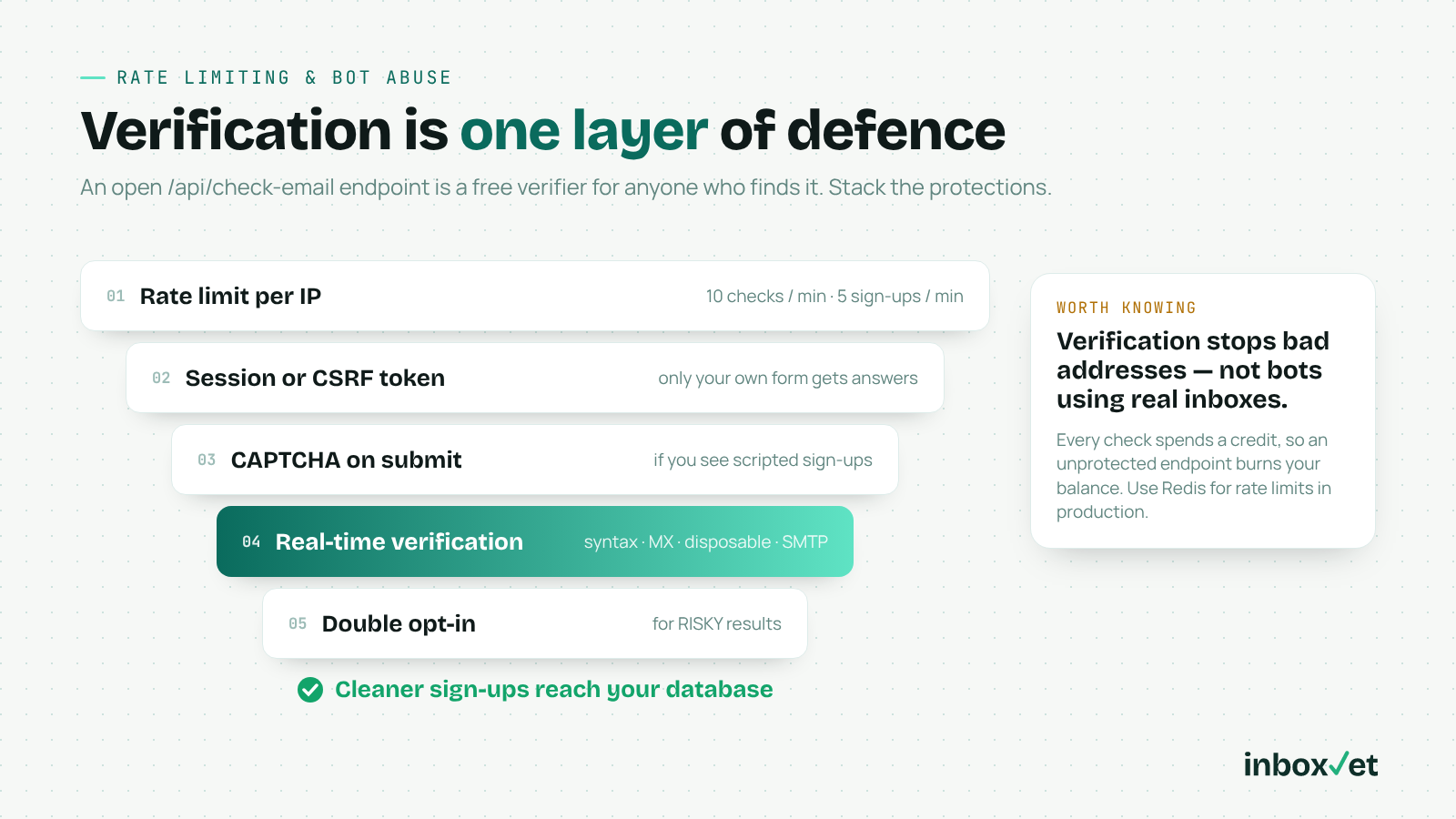
Figure: Verification is one layer of defence — combine per-IP rate limits, a session or CSRF token, CAPTCHA, real-time verification and double opt-in for RISKY results.
Comparing Real-Time Email Verification API Options
All five options offer API verification you can call from a sign-up flow. ZeroBounce and NeverBounce are established vendors with large integration catalogs, and ZeroBounce adds a full deliverability suite and AI scoring. Kickbox has its Sendex quality score and a polished UI. Bouncer is EU-based with a strong GDPR posture and sells Bouncer Shield, a real-time form-protection product billed separately from its credits.
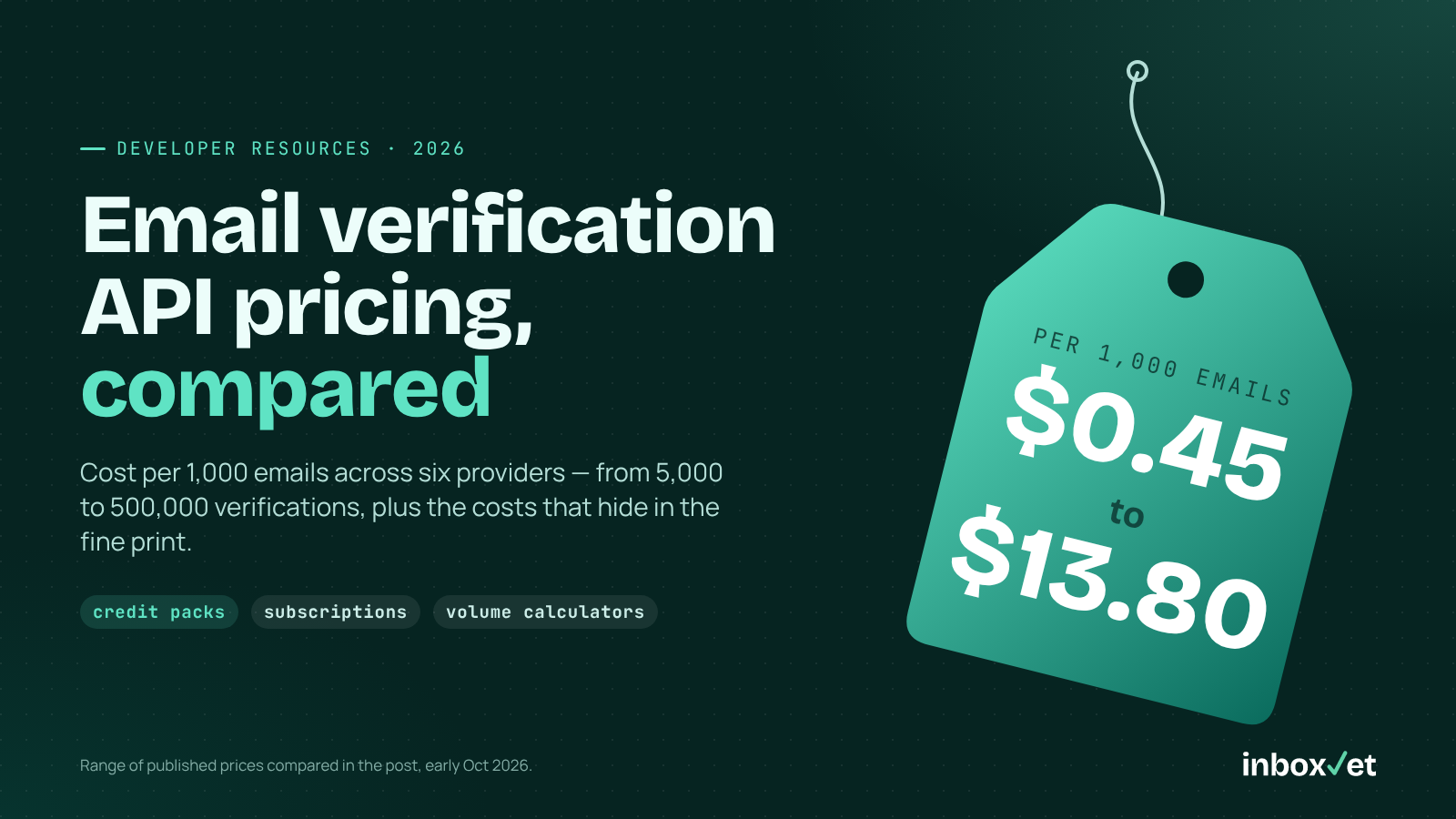
For pricing, assume an app with 20,000 sign-ups a month (240,000 a year) and one verification per sign-up. Costs use each vendor's per-1,000 rate at the pack size you'd realistically buy.
| Provider | Pack used for the rate | Cost per 1,000 | Monthly (20,000) | Credit expiry |
|---|---|---|---|---|
| InboxVet | Enterprise $300 / 500,000 | $0.60 | $12.00 | Never |
| InboxVet | Scale $125 / 125,000 | $1.00 | $20.00 | Never |
| Bouncer | $400 / 100,000 | $4.00 | $80.00 | Don't expire (Shield billed separately) |
| Kickbox | $500 / 100,000 | $5.00 | $100.00 | 12 months |
| ZeroBounce | $649 / 100,000 | $6.49 | $129.80 | Depends on account date — check current terms |
| NeverBounce | Pay-as-you-go $8 per 1,000 | $8.00 | $160.00 | 12 months |
Math: monthly cost = 20 × cost per 1,000. The InboxVet Enterprise pack covers 500,000 ÷ 20,000 = 25 months of sign-ups — sensible only because credits never expire. NeverBounce has volume discounts below its $8 list price, so check its calculator. Running both stages without caching doubles these figures.
Competitor prices checked from public pricing pages in early October 2026 — confirm on the vendor's site before buying: ZeroBounce, NeverBounce, Kickbox, Bouncer.
Pick ZeroBounce if you also want its full deliverability suite and scoring in one account. Pick Bouncer if its EU base and a packaged form widget matter more than per-check price. For a straightforward API at sign-up volume, InboxVet is the lowest cost of these five. See all packs on the InboxVet pricing page, or read our developer's guide to choosing an email validation API.
Frequently Asked Questions (FAQ)
Q: What does skipSMTP: true skip?
A: It skips the SMTP mailbox check. Syntax, MX, disposable and catch-all checks still run, and smtpValid returns null. It's ideal for the fast blur check; run the full check on submit.
Q: Should I block every RISKY address?
A: Usually not. Many are catch-all business domains with real users. Allow them, tag the account and confirm by email.
Q: Does InboxVet suggest typo corrections like "gmial.com"?
A: InboxVet doesn't claim to provide typo suggestions. Implement them client-side with an edit-distance check against common domains, as shown above, and let the user accept the hint.
Q: What happens if I run out of credits?
A: The API returns an insufficient-credits error — there's no auto-charge. If your code fails open, sign-ups continue unverified until you top up, so monitor for it.
Q: How much does real-time verification cost for 20,000 sign-ups a month?
A: On InboxVet, $20 a month at the Scale pack rate or $12 at the Enterprise rate, with credits that never expire. Check the comparison table above for other vendors.
Stop Fake Sign-Ups Before They Cost You
A real-time email verification API works best inside a small system: a fast blur check, client-side typo hints, an authoritative submit check, an explicit disposable policy and rate limits. Fail open, monitor errors, and confirm risky addresses by email.
InboxVet gives you the verification layer — syntax, MX, disposable, catch-all and SMTP checks in one call — with 100 free credits on sign-up and packs that never expire.
Try InboxVet Free — Block fake sign-ups at the form at inboxvet.com